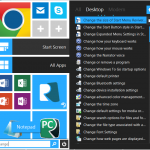
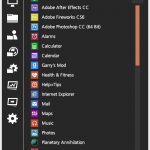
A couple weeks ago, we held an informal survey on the ReviverSoft Facebook Page and asked people how they felt about the Windows Start Menu being removed in Windows 8. The Start Menu has been present in Windows since Windows 95 was introduced over 16 years ago. This has been an extremely hot topic in the press; you can see PC World’s opinion here, and track all of the trending discussion about the topic here. Everyone is welcome to their own opinion, but we were curious as to what the majority […]

The Results are In! People Want the Start Menu in Windows 8
| By Mark Beare |
|
|
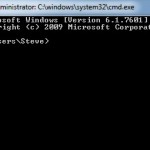
Open a Command Prompt in All Versions of Windows
| By Steve Horton |
|
|
A Command Prompt, or DOS Window, is where you carry out text instructions that are difficult to do through Windows.
Transfer Files and Settings in Any Version of Windows
| By Steve Horton |
|
|
Windows has an app called Windows Easy Transfer that makes it super easy to move files and settings from one PC to another.
Create a Shortcut in Any Version of Windows
| By Steve Horton |
|
|
A shortcut is a Windows file that directs you toward a folder or file in a different part of Windows. Shortcuts are really useful for getting around the Windows environment.

Repair Internet Connectivity Issues in Any Version of Windows
| By Steve Horton |
|
|
Windows has built-in tools for fixing Internet connectivity problems. Here’s how to activate these tools easily and get back up and running.
Change the Windows 7 Power Plan
| By Steve Horton |
|
|
Adjusting a power plan in Windows lets you control how your laptop saves on battery, especially between charges.
Bring Back Aero Snap to Windows 8
| By Steve Horton |
|
|
Aero Snap was a really handy and often-used feature of Windows 7 that’s been left out of Windows 8. But there’s a way to bring it back.
Adjust Virtual Memory in Any Version of Windows
| By Steve Horton |
|
|
Virtual memory is when your PC uses your hard drive as temporary RAM. Adjusting virtual memory can speed up your PC significantly.
Activate System Protection in Windows 7
| By Steve Horton |
|
|
There’s a feature in Windows 7 called System Protection that saves older versions of files and folders, and lets you restore to them easily in case of a problem.
How to Setup Multiple Monitors on Windows 8
| By Steve Horton |
|
|
If you’re used to two or three monitors, then Windows 8 handles things a little differently, and it’s kind of jarring. Catch up to the changes to multiple monitor settings.
Fix “Operating System Not Found” Errors
| By Steve Horton |
|
|
“Operating System Not Found” seems like a really serious Windows error. All is not lost, however. Here’s how to fix that problem.
Upgrading a PC from Scratch – Walkthrough – Part 1
| By Steve Horton |
|
|
I recently had occasion to upgrade most of my desktop PC. It was running terribly. Even basic Web browsing took an eternity, never mind games, graphics applications or anything at all.
Access the Rest of your Memory in 32-bit Windows
| By Steve Horton |
|
|
Normally, 32-bit Windows can only see about 3.5 gigabytes of RAM. However, there’s a way to access the rest of your memory. Here’s how to do that.
DirectX and Windows 8: What You Need to Know
| By Steve Horton |
|
|
Multimedia on your Windows PC is handled by a set of interfaces called DirectX. Here’s what all that means, and how it relates to your PC and Windows 8.

Which Windows 8 version Should I Buy?
| By Steve Horton |
|
|
It’s important to know the differences between the three major versions of Windows 8, so you can be informed when you go to purchase it.
More blog posts:
browse by category
General
General informational posts
Infographics
Large, detailed graphical presentations
Information
Computer opinions, commentary and news
Maintenance
Keep your computer without upgrading
News
About ReviverSoft and our products
Novice
For beginning computer users
Optimizations
Make your computer work with fewer errors
PC Bottlenecks
Computer elements that slow it down
Registry Insights
How the Windows Registry works
Windows 10
Are you using Windows 10? View tips and tricks specifically for you.