-
ReviverSoft
Answers
Get Answers from our
Community of Computer Experts-
Home
-
Resources
-
Questions & Answers
- every time i start my computer why does pc reviver come up?
every time i start my computer why does pc reviver come up?
 i like this question0 Like ItFollowseems like my drivers have to be updated . Also the driver ADB interface is ancient and it tells me to use avg driver updater which i do but it seems like it does not update the driver?Operating System:Answer this question
0 votes
00Hi Ben,
You can stop PC Reviver from starting everytime on your computer by following the below steps:
Click the Cog icon at the top of the PC Reviver application, this will open the Settings.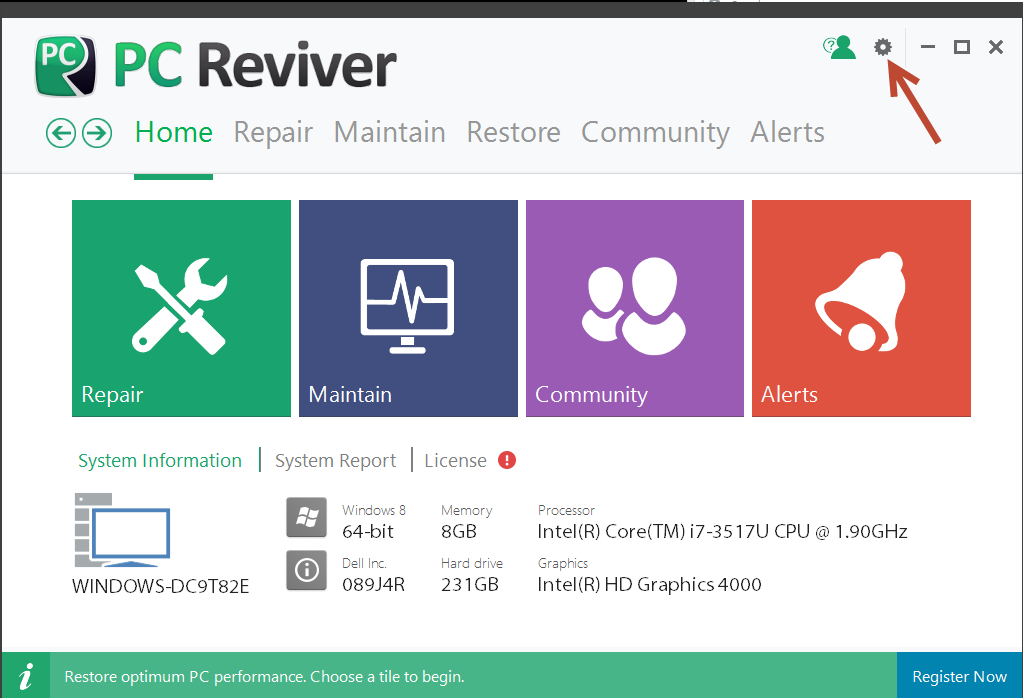
Click and turn off the Run at Startup option under the Startup and Schedule section and then click on Save.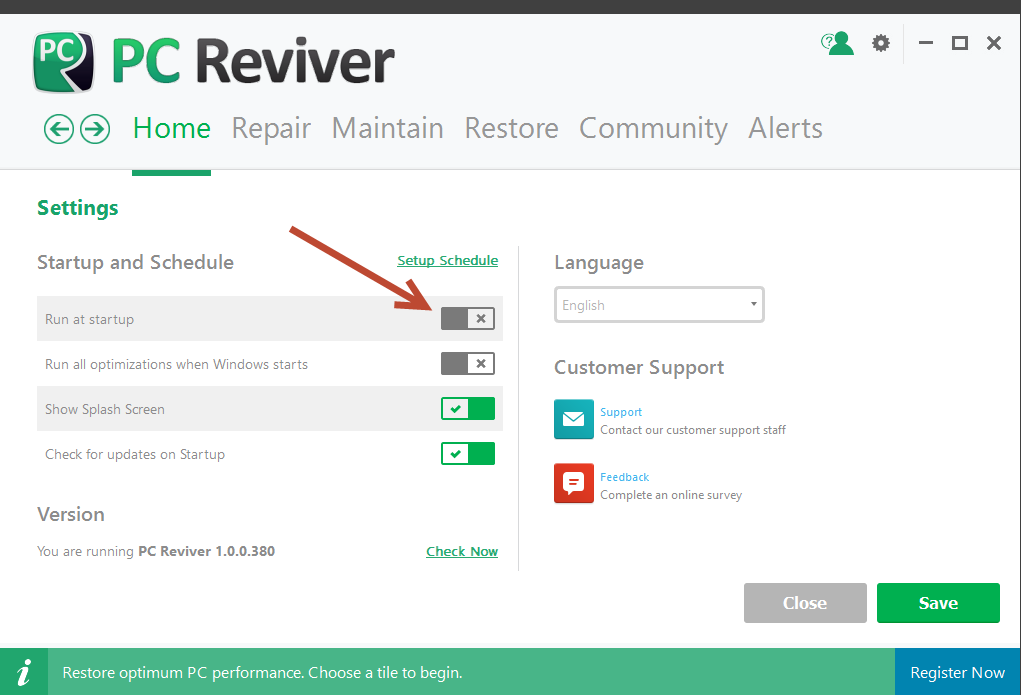
For updating your drivers, you can use Driver Reviver.
You can Click here to download Driver Reviver.
Once the installation is complete, Driver Reviver will automatically appear on your computer and start performing a full system scan.
To launch it yourself, you can follow the below steps:
1. Launch Driver Reviver and click the Start Scan Now button to start scanning your PC
2. Wait for the scanning process to complete.
3. Review the scan results and click the Update All button to update all outdated drivers on your computer.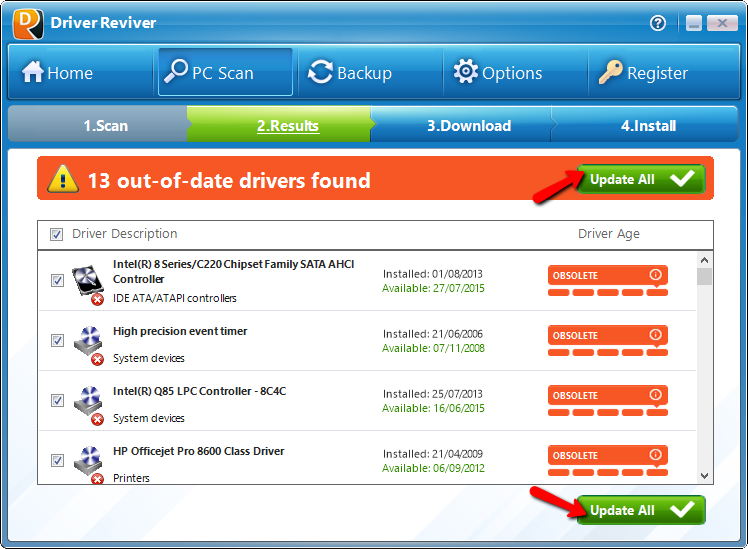
4. Driver Reviver will now download the updates for your drivers, backup your original drivers and then install the latest updates for your computer drivers. This may take a while depending how many drivers you are updating on your computer and the size of the downloads.
5. Once the updates are installed, you will see a quick summary of your drivers and your PC’s status changes to Excellent.
Regards,
Lokesh
0 votes
00Hello Ben,
Thank you for posting your question here.
I am sorry to hear about the problem you are experiencing and am eager to help you.
However, we need a little more information to be able to assist you. Could you please provide specific details of the problem?
Screenshots of the problem would also be helpful.
With regard to PCReviver, if you would like to prevent PCReviver from running every time you start your computer, please visit the link provided below.
http://reviversoft.c...
Hope this helps!
Christian
Welcome to Reviversoft Answers
ReviverSoft Answers is a place to ask any question you have about your computer and have it answered by the expert community.Post your question
Ask your question to the community nowSimilar questions
When I connect an external microphone to the jack, it is not working. I can see it in the "Sound" tab, but the levels is very low. I have tried with several microphones.VIEW ANSWERS40mein pc ist put mochte nun reviversoft auf mein laptop registriren wie geht das und was muß ich tunVIEW ANSWERS19I kept getting the blue screen with Driver Power State Failure error message and then my computer would restart. I found your product and it did not happen any more. I just purchased an anti-virus (kaspersky) and now it is doing it again. It is so frustrating. My computer is only 6 months old. It is a Asus desktop.VIEW ANSWERS8Having trouble with your PC?Complete a free PC scan using Driver Reviver now.DownloadStart Free Scan -

