


Around 30-40 photos were there
Operating System:
Windows 7
Answer this question
Best answer


Hi Arun,
Although not accessible, files deleted from the Recycle Bin are still recoverable. Data recovery software is required to recover permanently deleted files.
Files deleted by throwing them into the Windows Recycle Bin can be immediately retrieved by right-clicking and confirming "Restore" within the Recycle Bin folder. Through this, a restored file will reappear in its original folder with the contents, date and time, etc. exactly the same. That's how many of us recover mistakenly or accidentally deleted files from Recycle Bin in Windows.
- Open the Recycle Bin by double-clicking on its icon on the Desktop.
- Locate and then select whichever file(s) or folder(s) you need to restore.
- Right-click or double-click on the selection and choose Restore.
- The Recycle Bin will then restore the deleted files to their original locations.
How to restore the Recycle Bin icon?
If you can't find the Recycle Bin on your Windows Desktop, then follow the steps below to show or restore the Recycle Bin icon in Windows 10.- Right-click on the desktop and select Personalize.
- Now in the left-side panel, click on Themes.
- In the right-side panel, click Desktop.
- Select the Recycle Bin icon, click Restore Default, and hit Apply.
Things get a bit more complicated when you want to recover files after emptying the Recycle Bin. Once files or folders are cleared out from Windows Recycle Bin, for average PC users, they're gone for good. But don't worry! EaseUS data recovery software will help recover files deleted from Recycle Bin.
Usually, when you delete a file and then empty the Recycle Bin, for example in Windows 10, you might think that the file is permanently gone. In fact, items deleted from the Recycle Bin are recoverable with data recovery software.
Windows marks the hard drive space that was occupied by the deleted files as available for use but the file is not written over until that space is needed. The file entry won't display in My Computer or be accessible via a command line DIR command, but the file content still physically exists on the hard drive. Data recovery software can scan a hard drive for these unassociated files and allow you to retrieve and save them.
Step 1. Run file recovery software.
- Launch EaseUS file recovery software - Data Recovery Wizard on your PC.
- Click "Specify a location" to choose the right location where you lost files.
- Click "Scan" and let the program scans the selected location and find your lost recycle bin files.
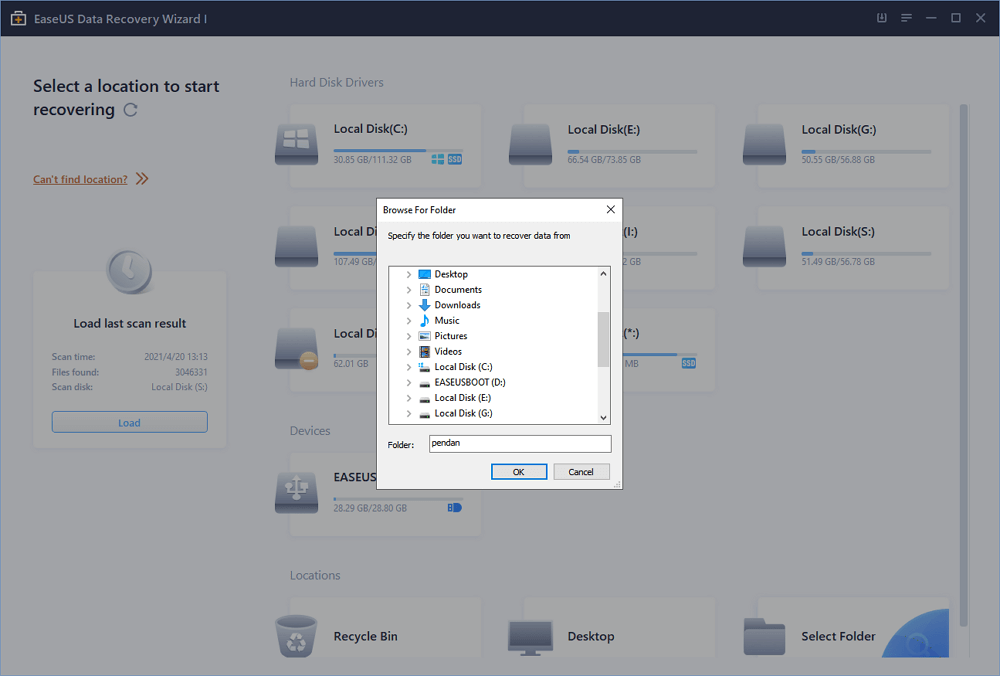
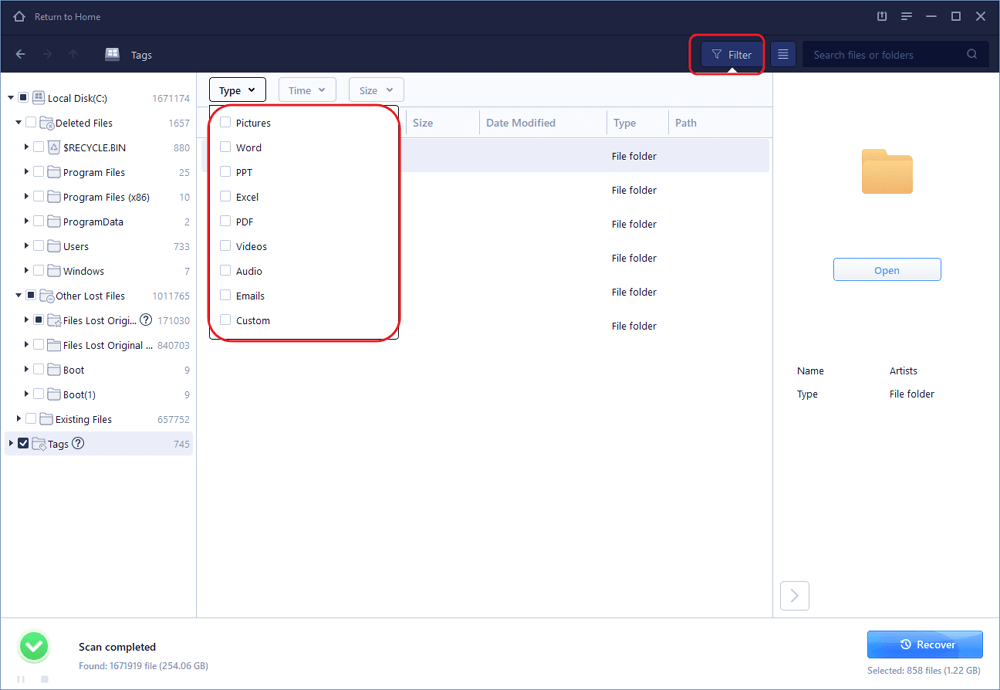
Step 2. Find and preview lost recycle bin files.
- After the scanning process, check the "Deleted Files" tab to find your deleted files.
- Or you can also use "Filter > Recycle Bin" option to quickly find the recycle bin files.
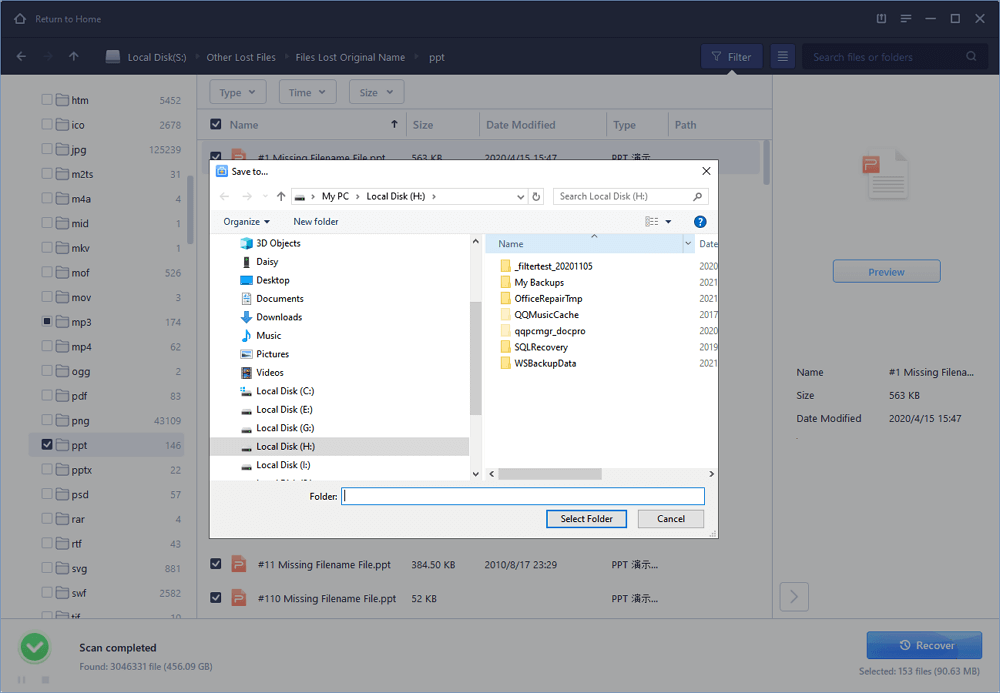
Step 3. Restore recycle bin data.
- Last, you can choose the found recycle bin files and navigate to a secure location to save them.
- Click "Recover" to restore those files.
I hope this helps.
Regards,
Lokesh
