Hi Aldert,
If your Avast is not detecting any virus, either it might be an issue within the software itself or it is also possible that there are no virus present in your PC/laptop.
If certain program components and features are not working properly in Avast Antivirus, I would recommend you to repair your installation using the Avast Setup wizard. The repair process resets your software configuration by fixing or replacing program files which may be out of date, corrupted, or missing.
You can access the Avast Setup wizard from your Control Panel in Windows.
Fix 1: Please follow these steps using the Avast Setup wizard which you can access via the Programs and FeaturesAdd or Remove Programs section of your Windows Control Panel:
- Press the
Win key and X key simultaneously, then select Programs and Features from the menu that appears.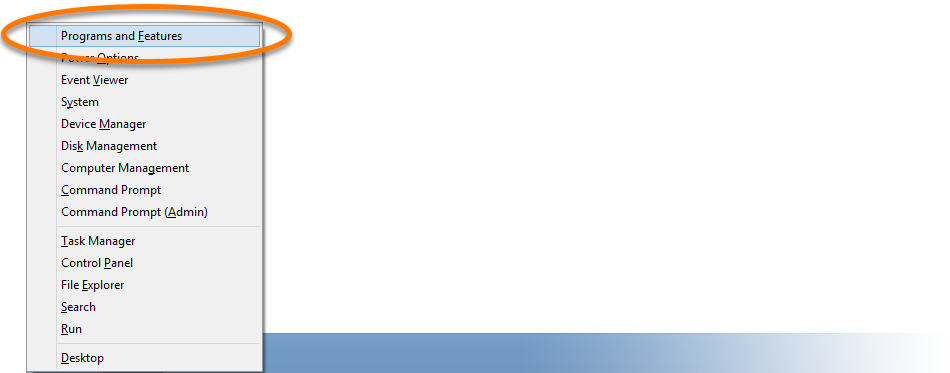
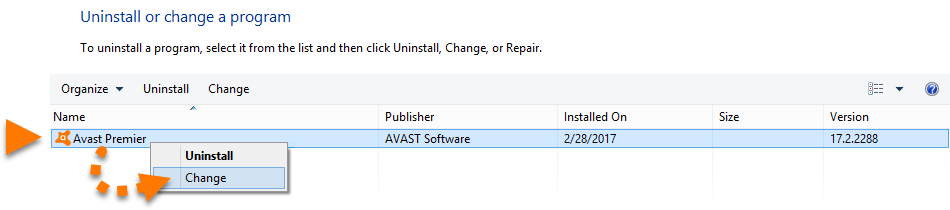
- Right-click your version of Avast Antivirus, then select Change from the drop-down menu.
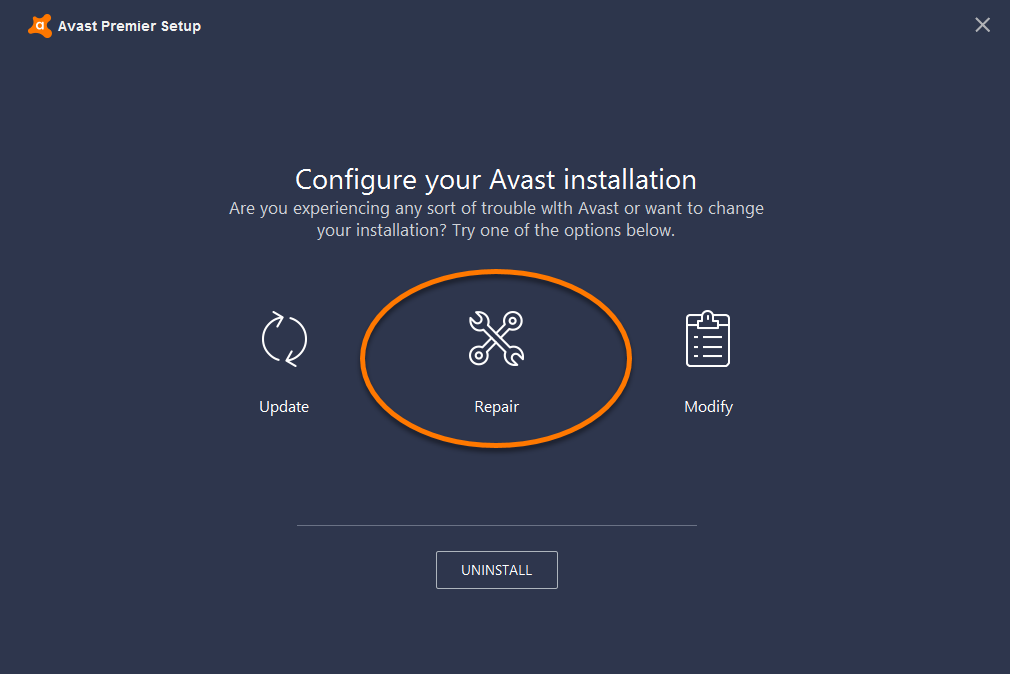
- When the Avast Setup wizard appears, click Repair.
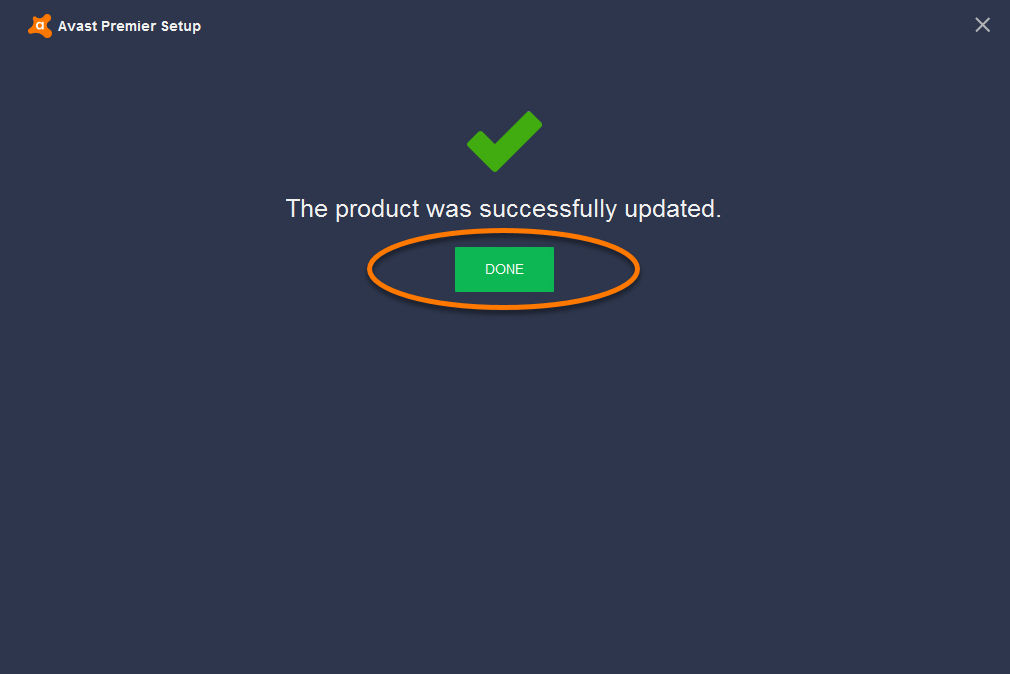
- When the update is complete, click Done.
Fix 2: Manage startup apps
A startup application is software that opens when Windows opens. Over time, as you install more and more apps, the number of startup applications increases. Common apps that load and run in the background are security software, Windows Update, instant messaging software, and multimedia apps. You can increase system resources by stopping some of these tasks from loading, or by changing their settings.
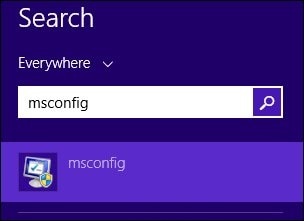
- From the Start screen, type msconfig to open the Search charm, and then select msconfig from the search results.
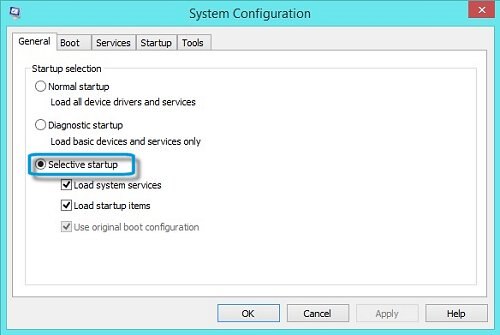
The System Configuration tool displays. - Click the General tab and make sure Selective startup is selected.
- Click the Startup tab, and click Open Task Manager.
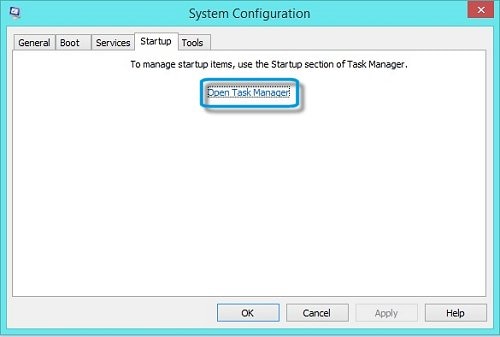
The Task Manager window opens with Startup tab selected.
- Select any startup items that do not contribute to the system and are unwanted, and click Disable.
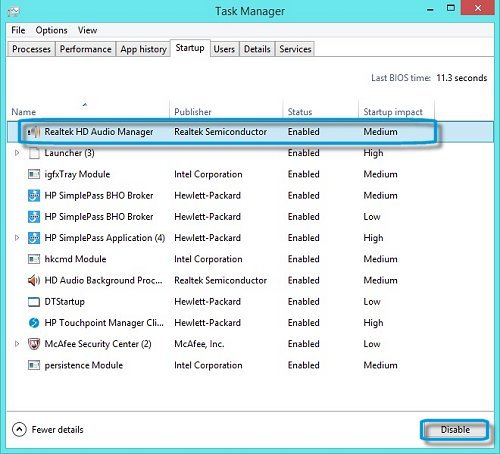
If you are unsure about an item, write the name down and research it on the Internet. Do not disable an item if you do not know what the item is.
- If prompted, click Restart to restart the computer.
- If Windows or other software stops working after a checkmark is removed from a task, restart the computer and reverse these procedures to replace the checkmark.
Fix 3: Choose a different antivirus/security software
You can use Security Reviver.
It will scan your PC and identify security threats and vulnerabilities. Security Reviver can quickly and safely remove these threats and prevent them from reoccurring. You can schedule Security Reviver to run at startup or any other time of day, ensuring you are in control of your protection. You can also choose a Quick, Deep or Custom scan depending on your needs and preferences. For more details, please see below link:
http://www.reviversoft.com/security-reviver/
I hope this helps.
Regards,
Lokesh |





Edit your answer