How do I activate or register Registry Reviver?
To activate Registry Reviver on your computer, all you need to do is copy your license key, paste it into the activation window of the software and activate it to unlock its full functionality. To get started, follow the step by step guide below:
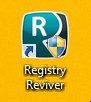
1. Open Registry Reviver
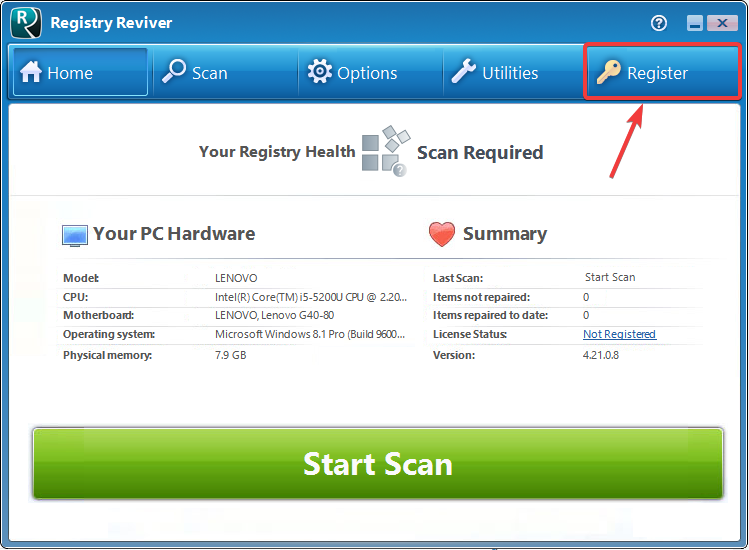
2. Click on the key shaped ‘Register’ button in the top menu bar of Registry Reviver
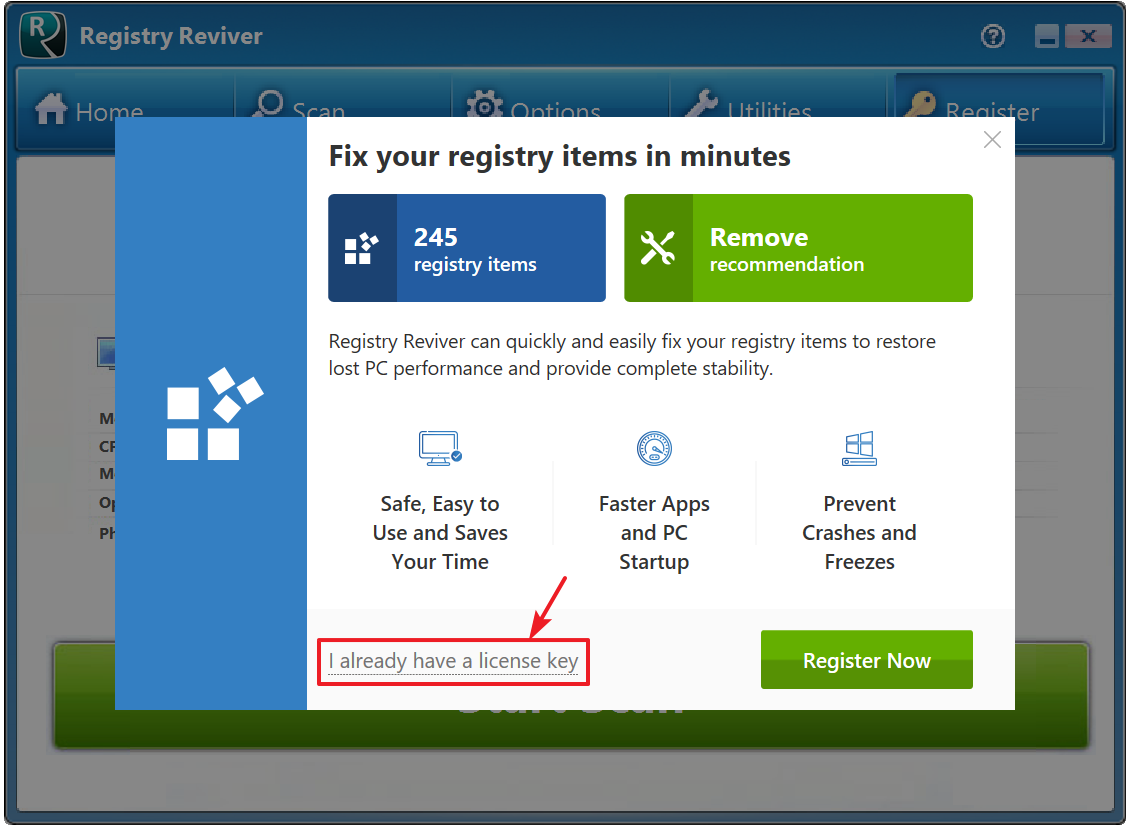
3. Click on the text that says ‘I already have a license code”. This will bring up a new window where you need to paste your ‘License Key’
4. Now open the purchase confirmation email that you received right after your purchase. You will see your ‘License Key’ specified in this email. First you need to select the ‘License Key’ and then copy the text (simply select the text and then hold down the ‘CTRL’ key and press the ‘C’ key. You can also right-click and select Copy. This will copy the text for you)
5. Next you need to go back to Registry Reviver and then place your cursor in the text box beside ‘License Code’. Once your cursor is in this box, you can click on the Paste Code button to paste the code you copied. You can also hold down the ‘CTRL’ key and then press the ‘V’ key or right-click and choose Paste to paste the code.
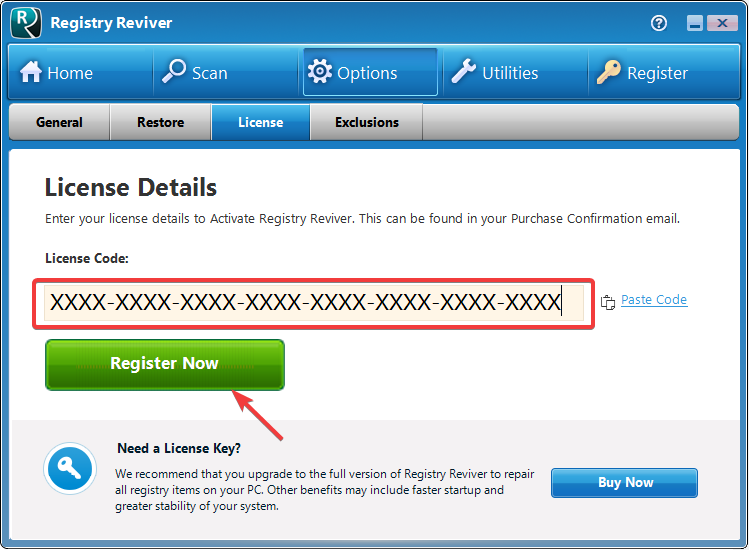
6. After you have successfully copied and pasted the ‘License Key’ into the product, all you need to do is click the button that says ‘Register Now‘.
Congratulations! You have successfully registered the product. You will notice that the ‘Register’ icon will no longer appear in the top menu bar. You can now view your license details by clicking the Options button on the top menu bar and selecting the License tab.
Enjoy your use of Registry Reviver!