Registry Reviver Frequently Asked Questions

How do I uninstall or remove Registry Reviver?

In Windows XP or 2000:

Go to Start > Control Panel > Add or Remove Programs > Locate and select Registry Reviver in the list > click on the "Remove" button > Follow the onscreen instructions to uninstall the program
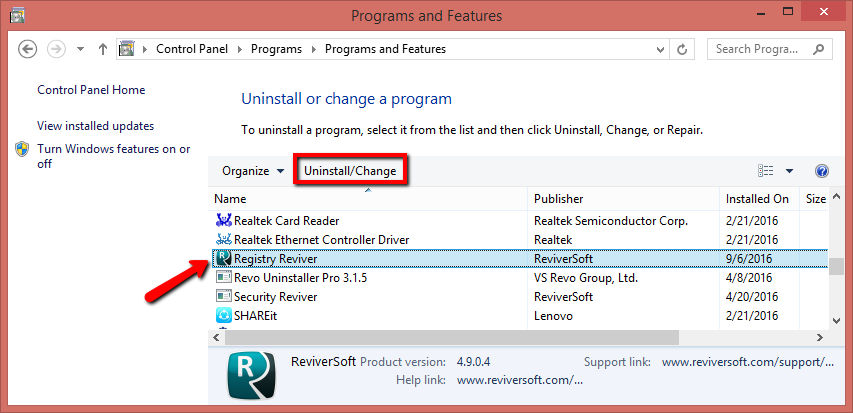
In Windows Vista, Win 7 and newer operating systems:

Go to Start > Control Panel > Uninstall a Program > Locate and select Registry Reviver in the list shown > click on the "Uninstall/Change" button > Follow the onscreen instructions to uninstall the program

Control Panel / Programs / Programs and Features / Uninstall

Alternatively, you can uninstall Registry Reviver from the programs menu:

Start > All Programs > ReviverSoft > Registry Reviver > Uninstall Registry Reviver.

Still having trouble? Read our Uninstall Guide for additional tips

Related Articles No related articles were found.
sign
Didn't find what you were looking for? Please click here to contact our friendly support.

How may I
help you?

reggie
© Copyright 2013. ReviverSoft. All Rights Reserved.
follow us